Onboarding to TACC
The Texas Advanced Computing Center (TACC) at UT Austin designs and operates some of the world’s most powerful computing resources. The center’s mission is to enable discoveries that advance science and society through the application of advanced computing technologies.
We will be using cloud resources at TACC as our development environment. We will access the cloud resources via our SSH clients and TACC account credentials. You will need a TACC username, password, and multifactor token for this class.
Attention
Everyone please apply for a TACC account now using this link. If you already have a TACC account, you can just use that. Send your TACC username to the course instructors via Slack or e-mail as soon as possible (see below).
To: wallen@tacc.utexas.edu
From: you
Subject: COE 332 TACC Account
Body: Please include your
      (1) name
      (2) EID
      (3) TACC user name
      (4) area of concentration [e.g. aerospace, biomedical, mechanical, etc]
      (5) top 1-2 goals for this course
About TACC
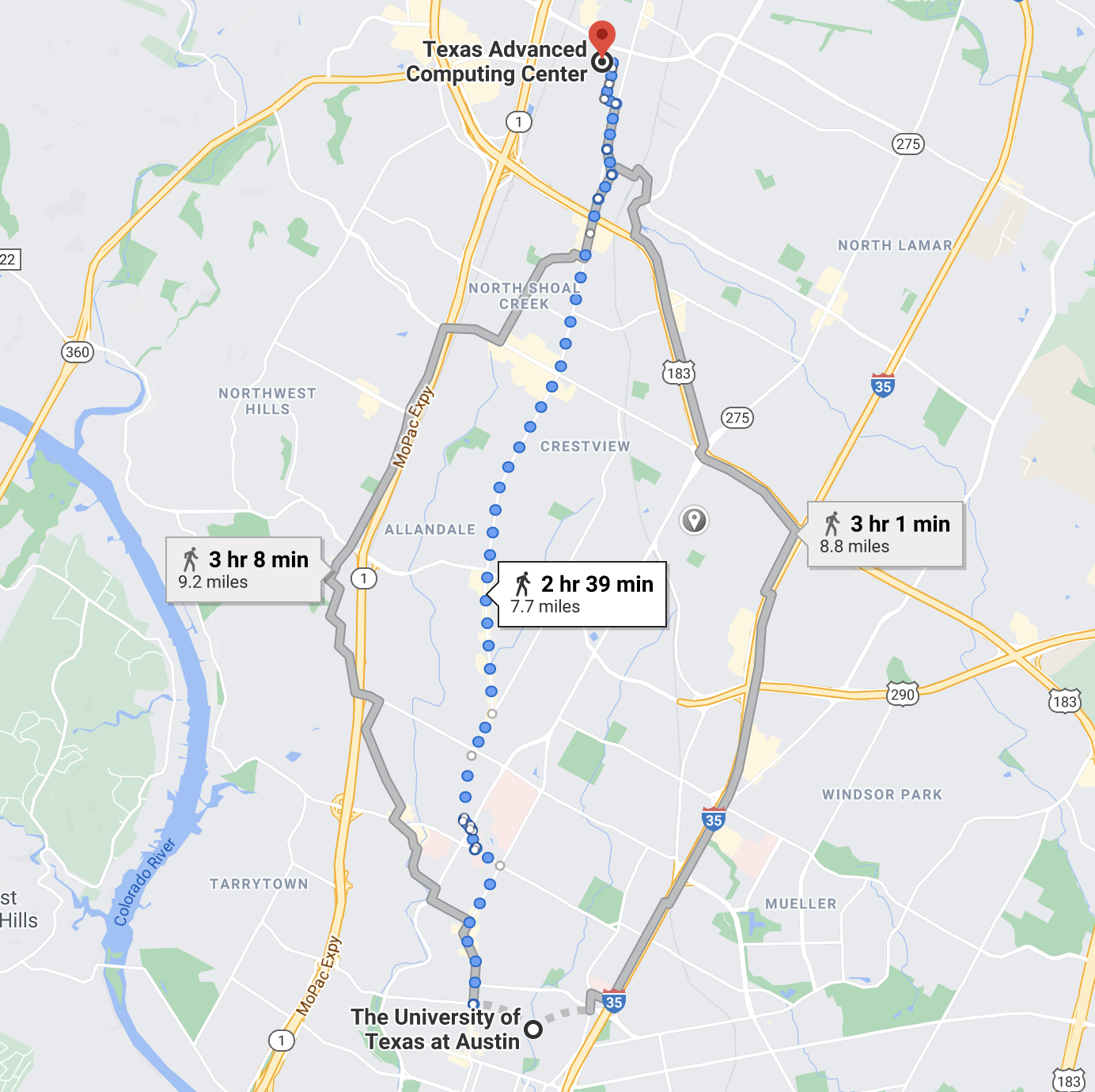
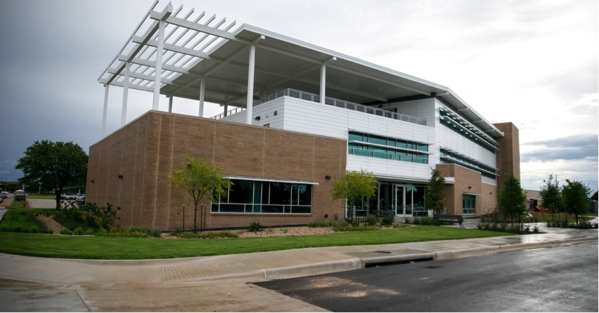
TACC is a Research Center, part of UT Austin, and located at the JJ Pickle Research Campus.
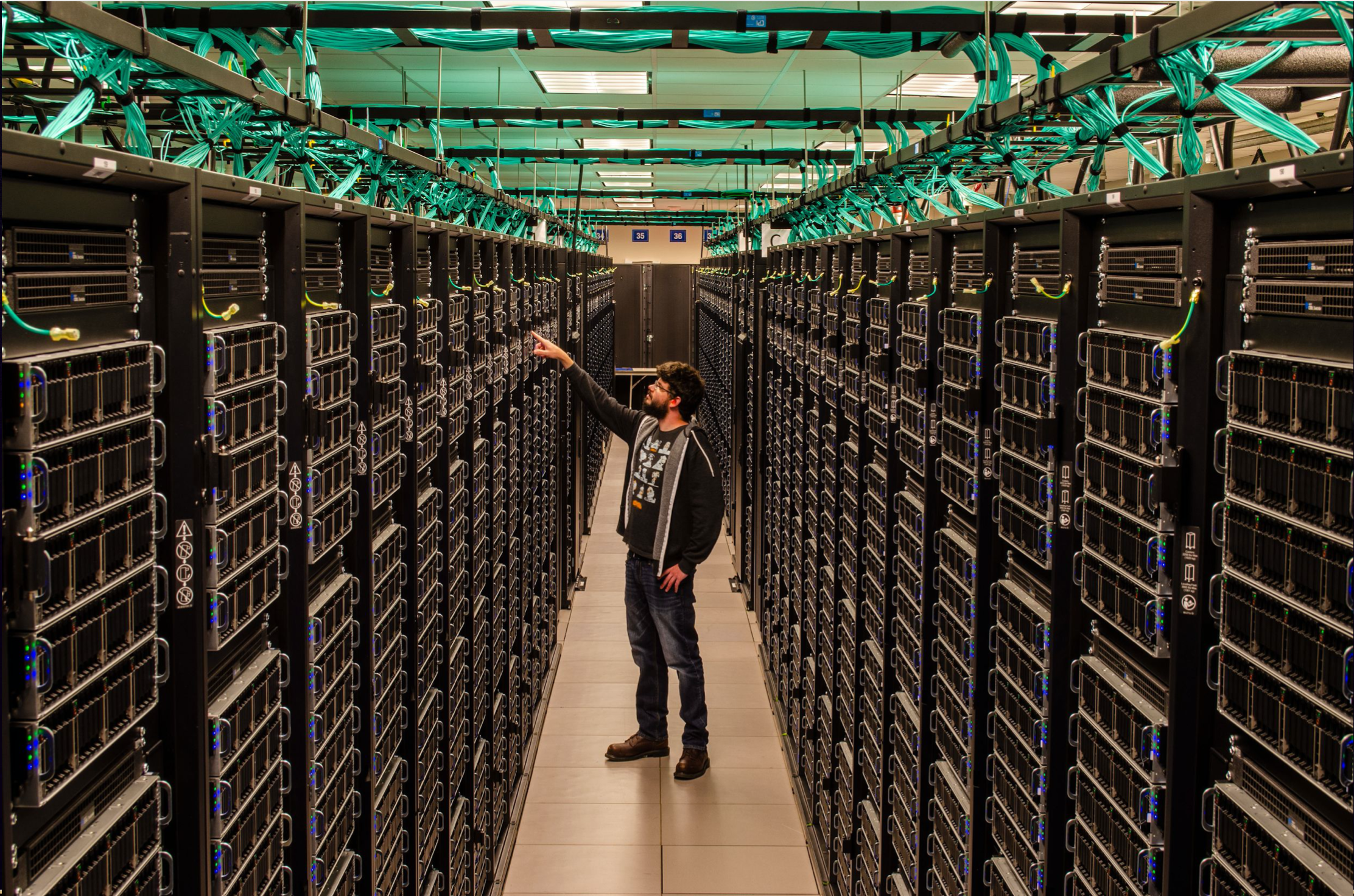
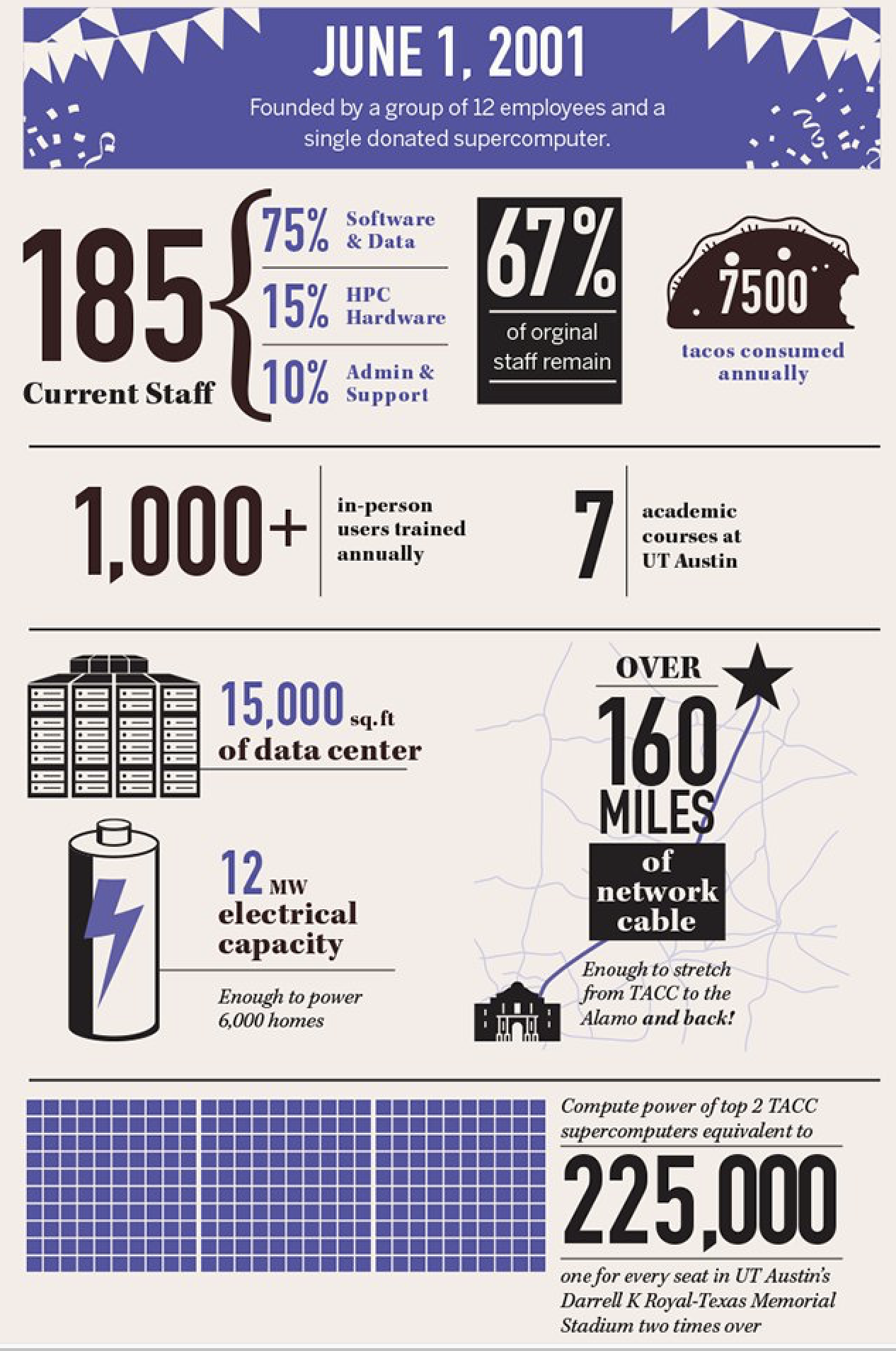
TACC at a Glance
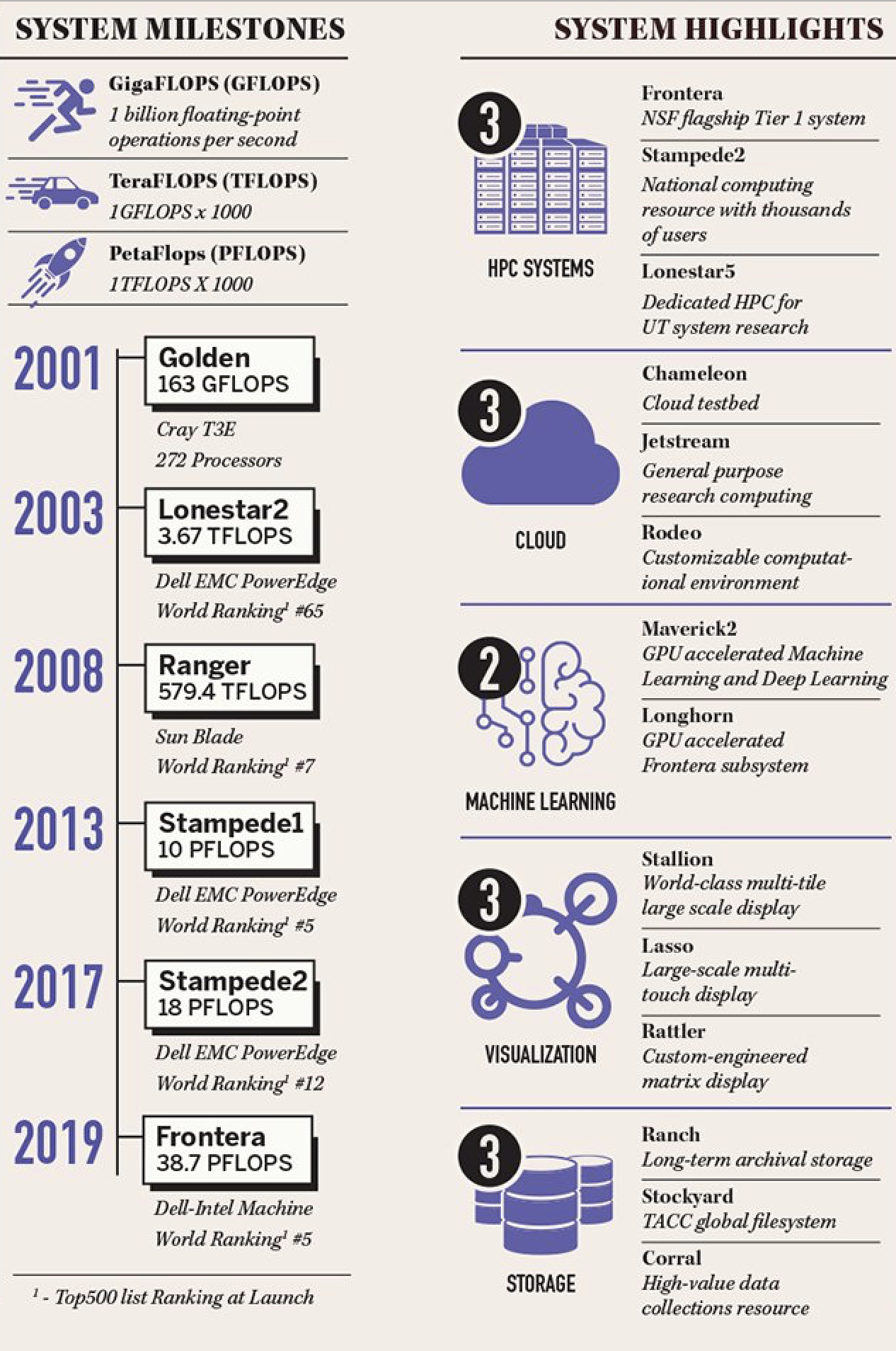
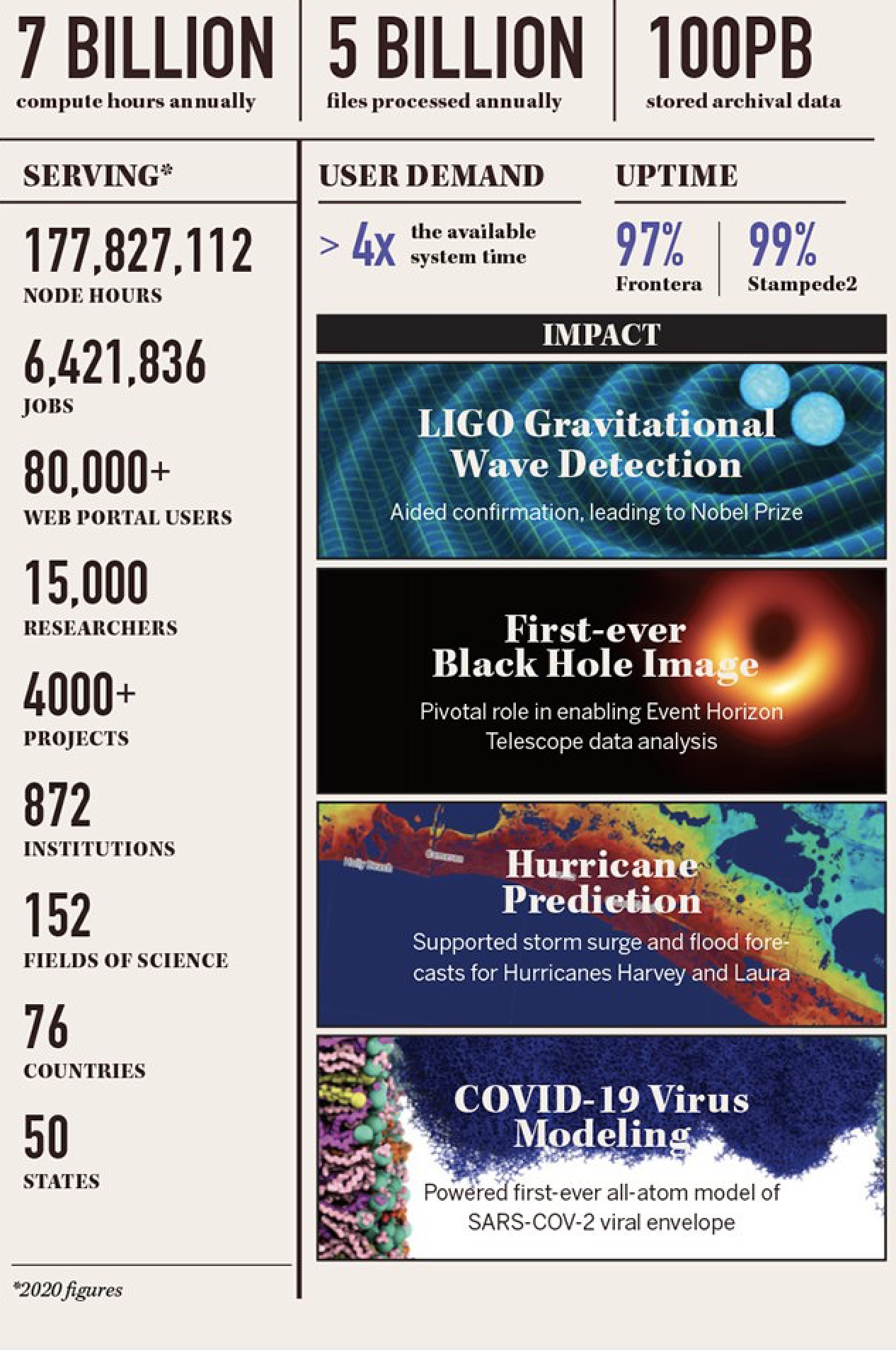
Other TACC Activities
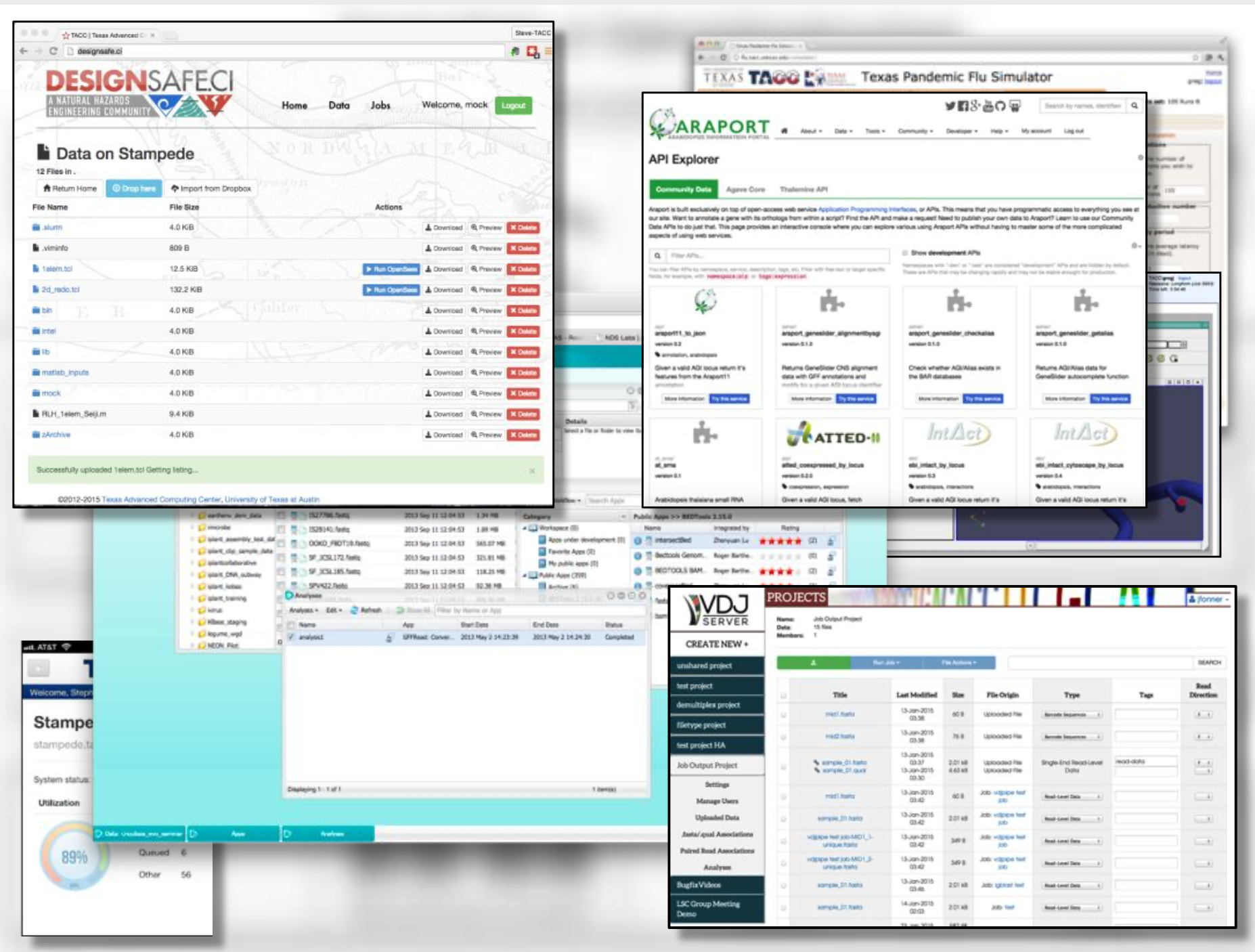
Portals and gateways
Web service APIs
Rich software stacks
Consulting
Curation and analysis
Code optimization
Training and outreach
=> Learn more
TACC Partnerships
NSF: Leadership Class Computing Facility (LCCF)
NSF: Advanced Cyberinfrastructure Coordination Ecosystem: Services & Support (ACCESS)
UT System Research Cyberinfrastructure (UTRC)
TX Lonestar Education and Research Network (LEARN)
Industry, STAR Program
International, The International Collaboratory for Emerging Technologies
=> Learn more
Attention
Did you already e-mail your information to the course instructors?
Engineering Complex Systems in the Cloud
The Tapis Framework, developed at TACC, is a great example of a complex assembly of code with many moving parts, engineered to help researchers interact with high performance computing systems in streamlined and automated ways. Tapis empowers its users to:
Authenticate using TACC (or other) credentials
Manage, move, share, and publish data sets
Run scientific code in batch jobs on clusters
Set up event-driven processes
The above description of Tapis and the below schematic diagram are both intentionally left a little bit vague as we will cover more of the specifics of Tapis later on in the semester.

Tip
Astute observers may notice that most, if not all, tools, technologies, and concepts that form the Tapis ecosystem show up somewhere in the agenda for COE 332.
So what can you do with Tapis?
Why would I want to build something similar?
Why should I learn how to use all of these tools and technologies?
Without concrete examples, it can seem rather esoteric. The vignette below hopefully illustrate how a carefully designed framework can be employed to tackle a real-world problem.
Application in Biomedical Engineering: Real-Time Quantitative MRI
Problem: Quantitative analysis of MR images is typically performed after the patient has left the scanner. Corrupted or poor quality images can result in patient call backs, delaying disease intervention.
Importance: Real-time analytics of MRI scans can enable same-session quality control, reducing patient call backs, and it can enable precision medicine.
Approach: Faculty and staff from UTHealth - Houston and TACC used the Tapis framework to help develop an automated platform for real-time MRI.
Result: Scan data can now be automatically processed on high performance computing resources in real-time with no human intervention.

Diagram of computer systems and APIs employed.
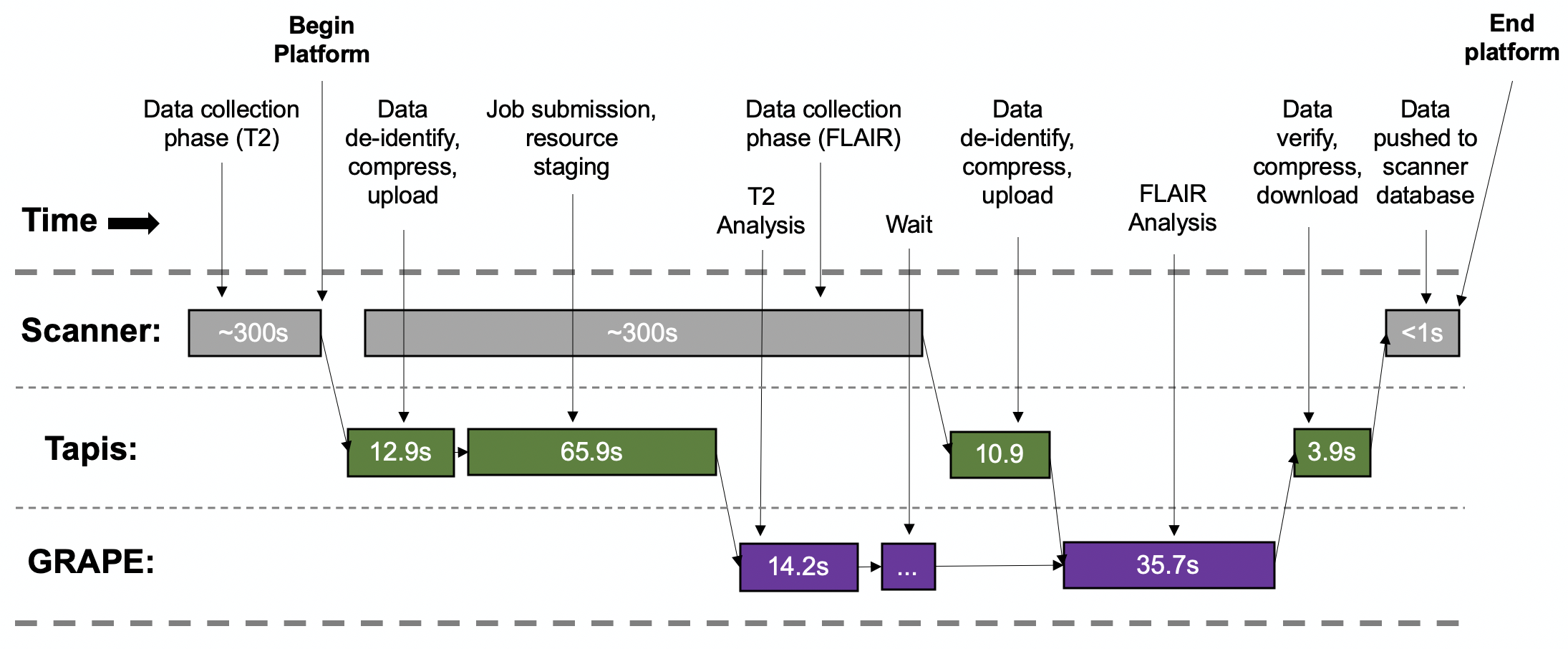
Sample platform workflow for combining two images into one enhanced image.
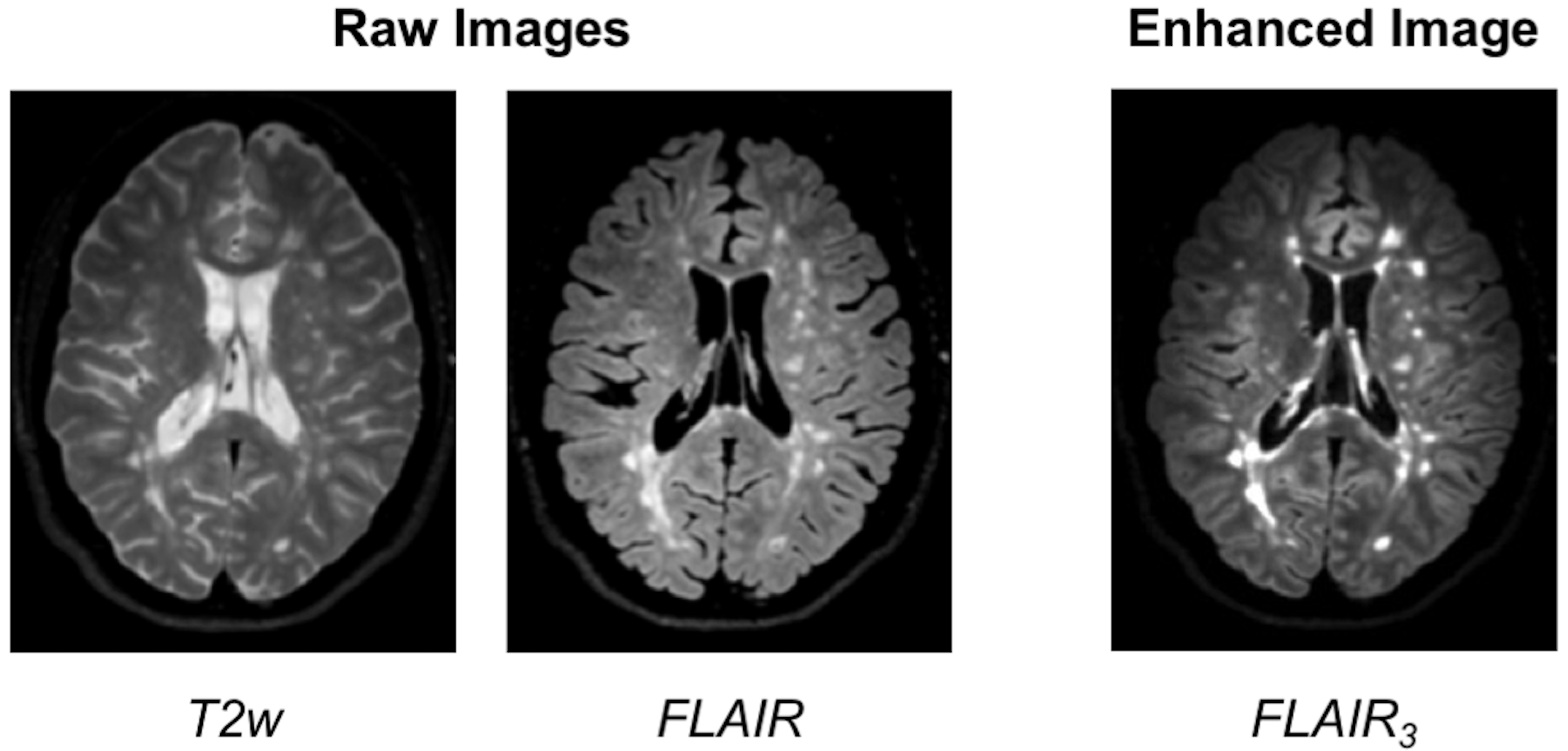
Final image shows enhanced MS lesions.
Source: https://dx.doi.org/10.1109/JBHI.2017.2771299
Attention
If you already e-mailed your TACC account to the instructors, please go ahead and try the exercise below.
Application in Aerospace Engineering: Ingenuity Helicopter
On April 19, 2021, the helicopter Ingenuity (part of NASA’s Mars 2020 mission along with the rover Perseverance) completed the first ever “powered controlled extraterrestrial flight by an aircraft”. As of January 2025, it has completed 72 flights recording pictures, sound, position, and other data during flight. On January 18, 2024, some of the rotor blades broke during landing, so it is now permanently grounded.
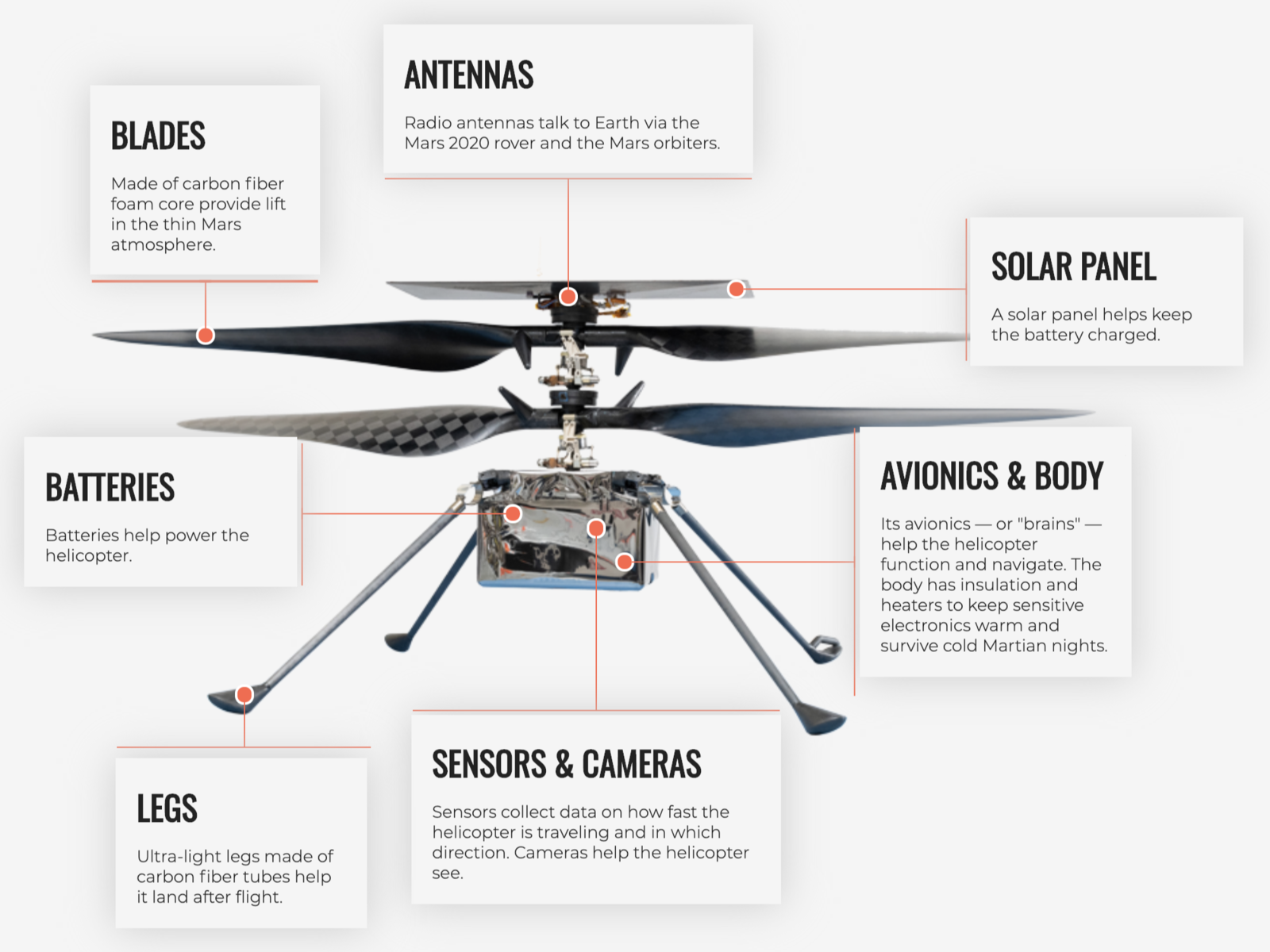
Source: https://en.wikipedia.org/wiki/File:Anatomy_of_the_Mars_Helicopter.png

How do Perseverance and Ingenuity communicate to carry out missions and return that sensor data? NASA JPL credited a long list of open source code repositories on GitHub that the helicopter project depends on.
Included in the list are a lot of libraries and tools that we will be using this semester to build our cloud systems including: Linux, curl, pycurl, yaml, flask, click, pytest, jinja, requests, urllib3, werkzeug, (and many others). Looking at the packages, it seems pretty likely that the rover communicates with the helicopter through something similar to a REST API! We will all be building similar systems this semester.
Read more here: https://github.com/readme/featured/nasa-ingenuity-helicopter
Bringing it All Together
Hopefully these examples start to show you what kind of software projects we will be working on this semester. Each week will be introducing a new concept, tool, or technology that will slowly be building to a larger overall framework with many moving parts.
For Next Time
Using your SSH client, please try to log in to the class server before the next class period:
[local]$ ssh username@student-login.tacc.utexas.edu
(username@student-login.tacc.utexas.edu) Password:
(username@student-login.tacc.utexas.edu) TACC_Token:
Welcome to Ubuntu 20.04.6 LTS (GNU/Linux 5.4.0-170-generic x86_64)

 * Documentation:  https://help.ubuntu.com
 * Management:     https://landscape.canonical.com
 * Support:        https://ubuntu.com/pro

 System information as of Thu 09 Jan 2025 11:29:16 AM CST

  System load:  0.0                Processes:               261
  Usage of /:   60.3% of 56.49GB   Users logged in:         1
  Memory usage: 25%                IPv4 address for ens192: 129.114.4.186
  Swap usage:   6%

------------------------------------------------------------------------------
Welcome to the Texas Advanced Computing Center
   at The University of Texas at Austin

** Unauthorized use/access is prohibited. **

If you log on to this computer system, you acknowledge your awareness
of and concurrence with the UT Austin Acceptable Use Policy. The
University will prosecute violators to the full extent of the law.

TACC Usage Policies:
http://www.tacc.utexas.edu/user-services/usage-policies/

TACC Support:
https://portal.tacc.utexas.edu/tacc-consulting

------------------------------------------------------------------------------
Last login: Thu Dec 19 12:24:02 2024 from 146.6.176.57
[student-login]$ hostname -f
student-login.tacc.utexas.edu
[student-login]$ whoami
username
Note
In the above, replace ‘username’ with your TACC username.
After logging in to the class server, try logging in to your individual virtual machine (VM), hosted on Jetstream. The login command is the same for everybody. It should not ask you for your username or password, but it will take you to your own VM.
[student-login]$ ssh coe332-vm

System information as of Wed Jan 22 21:02:24 UTC 2025

 System load:  0.0                Processes:               136
 Usage of /:   22.8% of 18.33GB   Users logged in:         0
 Memory usage: 5%                 IPv4 address for enp3s0: 192.168.4.41
 Swap usage:   0%

══════════════════════════https://jetstream.status.io/══════════════════════════

Overall Jetstream2 Status:   Degraded Performance

Active Status Items:
 ◦   Issues launching and unshelving Large Memory Instances

════════════════════════════════════════════════════════════════════════════════
Last login: Wed Jan 22 21:02:25 2025 from 129.114.4.186
[coe332-vm]$ hostname -f
coe332-vm-41.js2local
[coe332-vm]$ whoami
ubuntu